HomeProductsRoaming
International Roaming
Important Points to Know
While roaming:
• All services are charged from the core balance (airtime); bundles/freebies are not applicable.
• Tariff rates higher than home rates and differ depending on visited country and network selected.
• A customer is charged for receiving a call.
• For prepaid customers; roaming service is provided by default.
• For Post-paid customers; a written formal request is required via:
• Key account managers
• Retail shops
• On *197#, customers can choose to:
1. Activate SMS roaming only
2. Activate SMS & Voice roaming only
3. Activate SMS, Voice & Data roaming only
Depending on their required services while travelling.
Your Data. Your Destination. Your Journey.
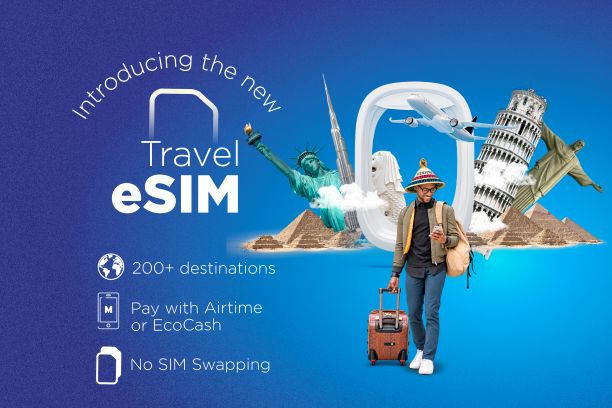
Going abroad? Stay connected with Econet Travel eSIM; an easy way to access mobile data while travelling outside Lesotho, without the hassle of buying or swapping physical SIM cards.
• Choose your destination, pick a Travel eSIM data plan that suits your trip and install it on your compatible device.
• Your regular Econet SIM stays in your phone, while your Travel eSIM keeps you connected to mobile data at your destination.
• Whether you’re navigating, staying in touch, checking emails or sharing your journey, you can travel knowing your connection is ready to go.
• Stay Connected. Travel Freely.

Get Your Travel eSIM - travel.etl.co.ls
While travelling
• The phone can be on auto/manual network selection mode:
On auto, the phone will select the strongest signal (provided ETL has a roaming agreement with the operator).
On manual, you can select a preferred network: Settings > Connections > Mobile networks > Network Operators then choose the desired network.
• For data roaming, enable data roaming on your mobile device: Settings > Connections > Mobile networks > Data roaming
You may also ensure the APN is defined by continuing to choose Access Point Names.
The APN should be: internet
• When making calls/sending SMSes, always include the country code of the mobile number you are dialling.


How to use the service
Before travelling
• Check your roaming status.
• Check our footprint.
• Check which services are live & the costs.
• As a prepaid customer, ensure you have enough airtime for roaming. You can also top-up using electronic channels, eco-cash, airtime transfer and USSD – voucher top up.
• Enable mobile data roaming & set data CAP limits, on your mobile device go to.
• Settings > Connections > Data usage and enable data saver (if your device supports this). This will help you keep track of the data usage.
While travelling
• The phone can be on auto/manual network selection mode:
On auto, the phone will select the strongest signal (provided ETL has a roaming agreement with the operator).
On manual, you can select a preferred network: Settings > Connections > Mobile networks > Network Operators then choose the desired network.
• For data roaming, enable data roaming on your mobile device: Settings > Connections > Mobile networks > Data roaming
You may also ensure the APN is defined by continuing to choose Access Point Names.
The APN should be: internet
• When making calls/sending SMSes, always include the country code of the mobile number you are dialling.


International Roaming
Select Country
Roaming Charges for {{ selectedCountry }}
Network Currency Incoming Call Home Call SMS Local Call International Call Data (per MB)
{{ partner.network }} {{ partner.currency }} {{ partner.incoming_call }} {{ partner.home_call }} {{ partner.sms }} {{ partner.local_call }} {{ partner.international_call }} {{ partner.data }}
Frequently Asked Questions
How is roaming activated?
How do I make a call while roaming?
Why can't I access data while roaming?
Are charges the same as while at home?
Why do I get charged for receiving a call?
Can I roam with bundles?
Why am I charged roaming costs while in home country?
Language: |
Leave Feedback
© 2021 Econet Telecom Lesotho